Most technical audits are long PDFs that nobody implements. Eighty pages, three hundred findings, no order, no owner. The site is exactly as broken six months later. An audit is worth exactly as much as the fix list it produces, so this checklist is organised the way search engines evaluate a site, and it ends with the template we use to turn findings into a ranked list of work.
Run it top to bottom. A failure at a higher layer makes the lower layers irrelevant until it is fixed, which is also how you decide what to fix first.
Layer 1. Can the search engine reach the site?
Everything below depends on this, and it is where sites fail silently.
- DNS and domain registration. Is the domain registered, who owns the renewal, and is there an expiry alert somewhere other than the registrar's inbox? A lapsed domain is the single most destructive failure and the least monitored.
- TLS certificate. Valid, not expired, covering both the apex and
www, with automatic renewal that has actually been observed to work. Check from a network you do not control. - Server responses. The home page returns
200in under a second at the origin.5xxerrors in the server log or in Search Console's crawl stats mean the crawler is being turned away. - robots.txt. Fetch it and read it. Look for a leftover
Disallow: /from staging, per-bot groups that accidentally exempt a crawler from every rule beneath them, and blanket rules likeDisallow: /*?*that block parameterised pages you actually want indexed. - Host redirects.
httptohttps,wwwto apex (or the reverse), and nothing else. One hop, path preserved.
Layer 2. Can it crawl the site?
- Crawl the site with Screaming Frog or a similar tool, with JavaScript rendering on if the site is a single-page app. Record: total URLs, response codes, depth from the home page.
- Orphans. Compare the crawl to the sitemap and to Search Console's indexed list. Pages that exist but have no internal links are orphans, and orphans do not rank.
- Depth. Anything commercial should be reachable within three clicks of the home page. Deep pages get crawled rarely.
- Redirect chains and loops. Every internal link should point at a final
200URL. Chains waste crawl budget and dilute signals. - Pagination and faceted navigation. Filters that create thousands of URL combinations need
noindexor canonicalisation. A crawler that finds them keeps crawling them instead of your product pages. - Crawl stats in Search Console. Requests per day, average response time, and the share of
5xxand404. A sudden drop in requests usually means one of the Layer 1 items broke.
Layer 3. Is it indexing the right pages?
This layer is Search Console's Pages report, read carefully.
- Indexed versus submitted. If you submit 400 URLs and 120 are indexed, the reasons column tells you why. Each reason is a different fix.
- "Crawled, currently not indexed." The crawler fetched the page and decided it was not worth storing. That is a content judgement: thin pages, near-duplicates, boilerplate. No amount of resubmission changes it.
- "Discovered, currently not indexed." The crawler knows the URL and has not bothered to fetch it. Usually low internal link equity or a crawl budget problem.
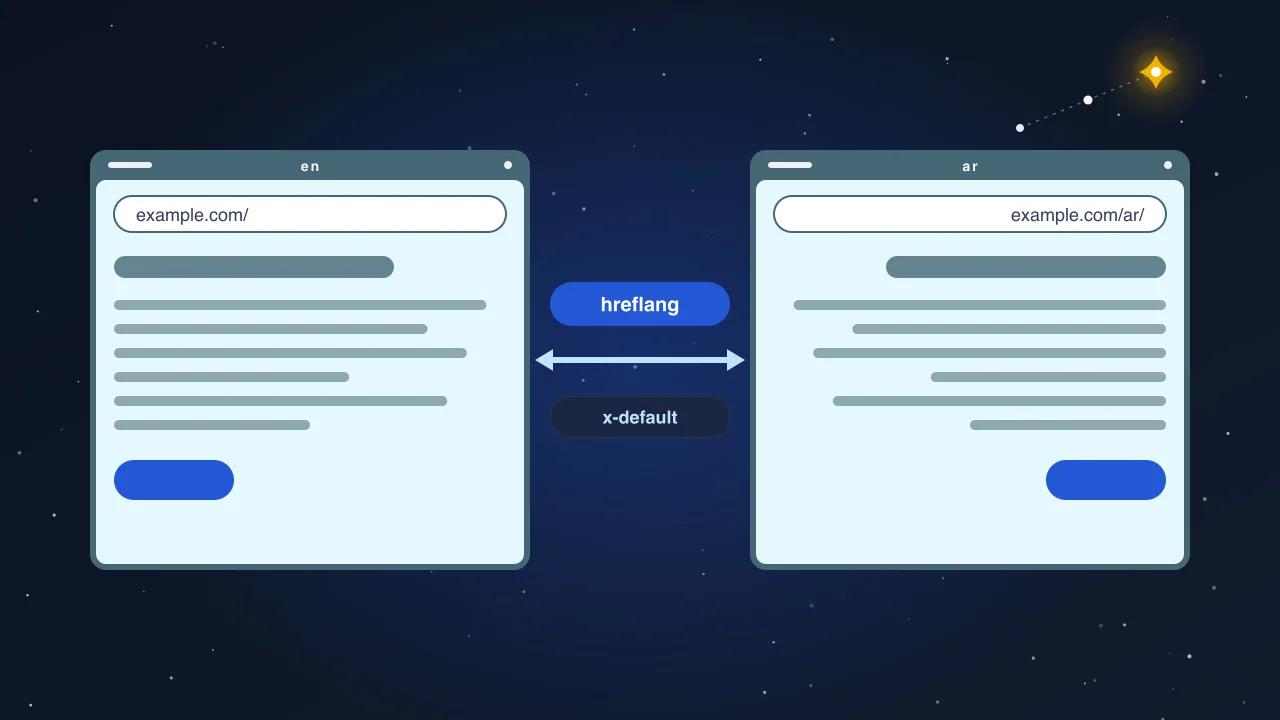
- "Duplicate without user-selected canonical." The site serves the same content at more than one address and does not say which is primary. Parameters, trailing slashes, uppercase paths, language variants without hreflang.
- Canonical tags. Every indexable page canonicals to itself, exactly, including the trailing slash and the protocol. Cross-canonicals only where intended.
- hreflang on multilingual sites: every language version lists all versions plus
x-default, the pairs are reciprocal, and none of them points at a redirect. - Sitemap. Lists only canonical, indexable,
200URLs.lastmodreflects real changes; a build-time timestamp on every URL trains the crawler to ignore it. Split large sitemaps by content type so indexation is reportable per type.
Layer 4. Does it render what you think it does?
- View the rendered HTML with the URL Inspection tool and compare it to the source. Content injected by JavaScript after load may be missing from what is indexed.
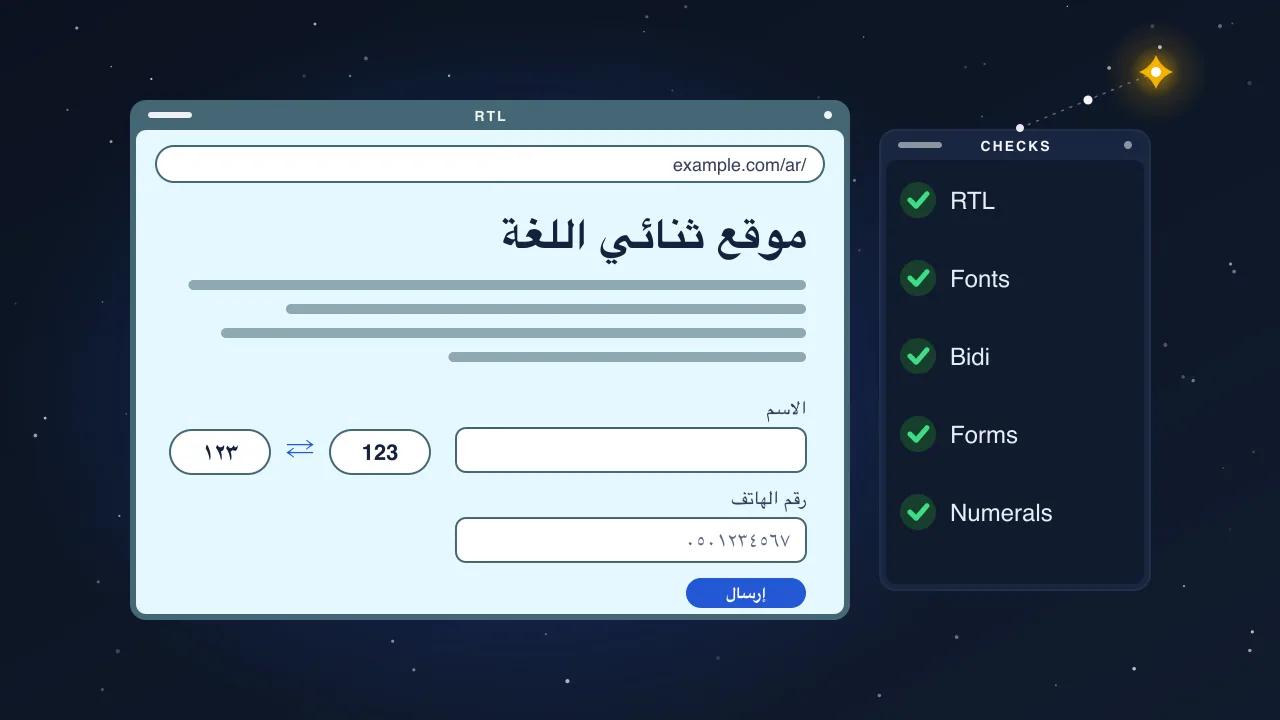
- Language and direction.
<html lang>matches the page language;dir="rtl"on right-to-left pages. Wrong values are common on multilingual sites where the layout hard-codes one direction. - Mobile rendering. The mobile crawler is the default. Check that the mobile page carries the same content as desktop, not a trimmed version.
- Blocked resources. CSS or JavaScript blocked by
robots.txtcan leave the crawler with an unstyled or empty page.
Layer 5. On-page signals
- Titles. One per page, unique, under about 60 characters, describing the page rather than the site. Sort the crawl by title to find duplicates and defaults.
- Meta descriptions. Unique, present, under about 155 characters. Missing ones are not fatal but duplicates are a symptom of templates gone wrong.
- Headings. One H1 matching the page's purpose, subheadings in order. Multiple H1s or an H1 that is the logo are theme bugs.
- Internal linking. Commercial pages linked from body copy, not only from the navigation. Anchor text that says what the target is.
- Structured data. Organization once, with a stable
@id, referenced by every page. BreadcrumbList on every page. Article or BlogPosting on posts, Product on products, FAQPage where questions are answered. Validate with the rich results test and fix errors before adding types. - Images. Alt text on content images, dimensions declared, modern formats, sizes appropriate to their layout slot.
- Word count per template. A page with 20 words of body copy is thin regardless of markup. Sample every template and note the median.
Layer 6. Performance
- Core Web Vitals from the Search Console report (field data) for each URL group, and PageSpeed Insights (lab data) for one URL per template. Targets on mobile: LCP under 2.5 seconds, INP under 200 milliseconds, CLS under 0.1.
- The LCP element on each template, and its size. It is almost always an image or a web font.
- Total page weight and request count on the home page and a commercial template.
- Third-party scripts. List every domain the page loads from and what each one is for. Tag managers that load ten tags, chat widgets and embeds are the usual weight.
- Caching. Static assets with long cache lifetimes; HTML with a sensible one. Check the response headers.
The fix-list template
Findings become a table with six columns. This is the deliverable, and it is short by design.
| # | Finding | Layer | Effect | Effort | Owner |
|---|---|---|---|---|---|
| 1 | Certificate expires in 12 days, no auto-renewal | 1 | Critical | Low | Hosting |
| 2 | robots.txt blocks all parameterised URLs, including filtered product listings | 1 | High | Low | Dev |
| 3 | 180 product pages "Crawled, currently not indexed": median 14 words of body copy | 3 | High | High | Content |
| 4 | Sitemap lastmod set to build time on every URL | 3 | Medium | Low | Dev |
| 5 | Home page LCP 4.8 s on mobile: 2.9 MB hero image | 6 | High | Low | Dev |
| 6 | 40 pages share the title "Home" | 5 | Medium | Medium | Dev |
Rules for the table:
- Effect is about traffic, not correctness. A missing alt attribute is real but low effect; a blocked crawler is critical.
- Effort is honest. "High" means days of content work, not a config change.
- Owner is a role that exists at the client. If nobody owns content, the content findings will not get done, and the audit should say so.
- Order is effect divided by effort, with Layer 1 items always first regardless.
- Keep it under 30 rows. If the audit found 300 things, the other 270 go in an appendix, and the 30 are the ones that move the needle.
What happens after the audit
A fix list with owners is a plan. Ours ends with a walkthrough, because a table read cold is easy to misread and a 60-minute conversation prevents most of that. Then, if you want, we implement the developer-owned rows ourselves. An audit that comes with the hands to fix it is the only kind that reliably changes the numbers in Search Console.